
Appendix F: Regen Resistor Configuration
Streszczenie: Konfiguracja rezystora regeneracyjnego (hamującego): wybór standardowego rezystora Copley lub wprowadzenie parametrów własnego (rezystancja, moc ciągła i szczytowa, czas mocy szczytowej).
EN: Regen resistor configuration: standard Copley resistor or custom resistance and power values.
Dotyczy: program CME 2 do konfiguracji i strojenia serwonapędów oraz napędów krokowych Copley Controls (m.in. Xenus, Accelnet, Stepnet, Accelus, Junus)
Źródło: dokumentacja producenta (Copley Controls CME 2 User Guide)
Configure a Custom Regen Resistor
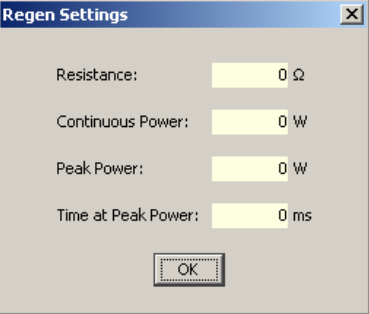
1.1  Click Regen Settings to open the Regen Settings screen
22. If configuring a standard Copley Controls regen resistor, select the model number and click Finish to save the configuration and close the screen.
Otherwise, continue.3
3. Enter appropriate values for Resistance, Continuous Power, Peak Power, and Time at Peak Power.4
4. Click OK to save the configuration and close the screen.
Słowa kluczowe
rezystor regeneracyjny, rezystor hamujący, regen, moc ciągła, moc szczytowa