
Appendix C: The Linkage Object
Streszczenie: Obiekt LinkageObj do skoordynowanego ruchu wielu osi: inicjalizacja tablicy napędów, ruch wieloosiowy MoveTo i limity ruchu, trajektorie PVT (TrajectoryInitialize/TrajectoryAdd, poziom lowWater), oczekiwanie na zakończenie i zatrzymanie ruchu oraz zdarzenia CML_LINK_EVENT.
EN: The Linkage object for coordinated multi-axis moves, PVT trajectories and link events.
Dotyczy: Copley Motion Objects (CMO, biblioteka COM CMLCOMLib) – sterowanie serwonapędami Copley CANopen z PC (Windows; VB 6.0, VB .NET, LabVIEW)
Źródło: dokumentacja producenta (Copley Motion Objects Programmer’s Guide); tabele przepisane z obrazów na tekst – opracowanie Multiprojekt
This appendix describes Copley Motion Objects linkage methods, organized by function.
Note: Unless otherwise stated, all properties described in this appendix have read/write access.
All methods return an HRESULT. In the event of an error, CMO reports the error in the form of COM-compatible error objects. See Error Handling.
C.1 Linkage Object (LinkageObj)
The Linkage Object allows the programmer to “link” a group of amplifiers to perform coordinated motion. A move using the Linkage Object will start moving all the linked amplifiers at the same time and end the move at the same time.
C.1.1 Linkage Object Methods
All of the methods described in this appendix are members of CMLCOMLib.LinkageObj.
| Member | Description |
|---|---|
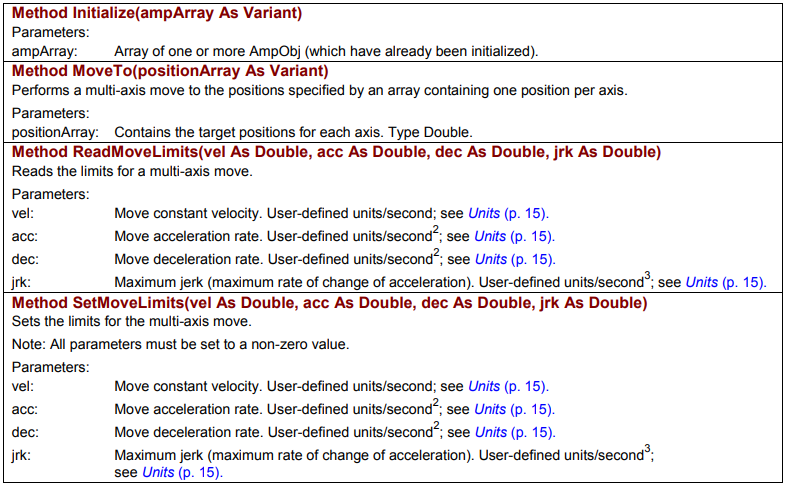
Method Initialize(ampArray As Variant) | Parameters: ampArray – array of one or more AmpObj (which have already been initialized). |
Method MoveTo(positionArray As Variant) | Performs a multi-axis move to the positions specified by an array containing one position per axis. Parameters: positionArray – contains the target positions for each axis. Type Double. |
Method ReadMoveLimits(vel As Double, acc As Double, dec As Double, jrk As Double) | Reads the limits for a multi-axis move. Parameters: vel – move constant velocity, user-defined units/second; acc – move acceleration rate, user-defined units/second²; dec – move deceleration rate, user-defined units/second²; jrk – maximum jerk (maximum rate of change of acceleration), user-defined units/second³ (see Units). |
Method SetMoveLimits(vel As Double, acc As Double, dec As Double, jrk As Double) | Sets the limits for the multi-axis move. Note: All parameters must be set to a non-zero value. Parameters: vel – move constant velocity, user-defined units/second; acc – move acceleration rate, user-defined units/second²; dec – move deceleration rate, user-defined units/second²; jrk – maximum jerk (maximum rate of change of acceleration), user-defined units/second³ (see Units). |
Original image of the table (from the PDF manual)
| Member | Description |
|---|---|
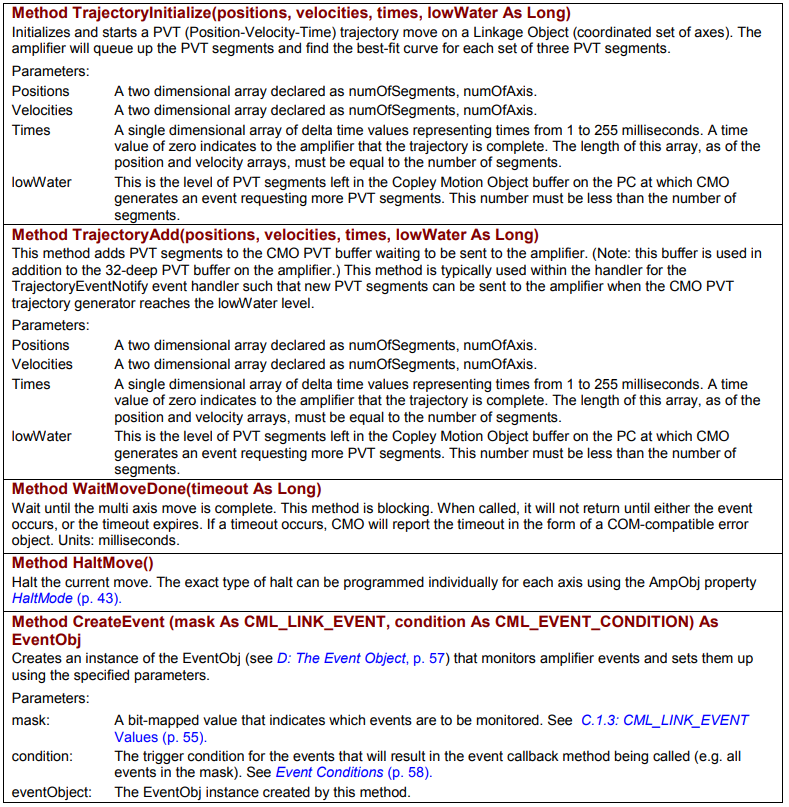
Method TrajectoryInitialize(positions, velocities, times, lowWater As Long) | Initializes and starts a PVT (Position-Velocity-Time) trajectory move on a Linkage Object (coordinated set of axes). The amplifier will queue up the PVT segments and find the best-fit curve for each set of three PVT segments. Parameters: Positions – a two dimensional array declared as numOfSegments, numOfAxis; Velocities – a two dimensional array declared as numOfSegments, numOfAxis; Times – a single dimensional array of delta time values representing times from 1 to 255 milliseconds. A time value of zero indicates to the amplifier that the trajectory is complete. The length of this array, as of the position and velocity arrays, must be equal to the number of segments; lowWater – this is the level of PVT segments left in the Copley Motion Object buffer on the PC at which CMO generates an event requesting more PVT segments. This number must be less than the number of segments. |
Method TrajectoryAdd(positions, velocities, times, lowWater As Long) | This method adds PVT segments to the CMO PVT buffer waiting to be sent to the amplifier. (Note: this buffer is used in addition to the 32-deep PVT buffer on the amplifier.) This method is typically used within the handler for the TrajectoryEventNotify event handler such that new PVT segments can be sent to the amplifier when the CMO PVT trajectory generator reaches the lowWater level. Parameters: Positions – a two dimensional array declared as numOfSegments, numOfAxis; Velocities – a two dimensional array declared as numOfSegments, numOfAxis; Times – a single dimensional array of delta time values representing times from 1 to 255 milliseconds. A time value of zero indicates to the amplifier that the trajectory is complete. The length of this array, as of the position and velocity arrays, must be equal to the number of segments; lowWater – this is the level of PVT segments left in the Copley Motion Object buffer on the PC at which CMO generates an event requesting more PVT segments. This number must be less than the number of segments. |
Method WaitMoveDone(timeout As Long) | Wait until the multi axis move is complete. This method is blocking. When called, it will not return until either the event occurs, or the timeout expires. If a timeout occurs, CMO will report the timeout in the form of a COM-compatible error object. Units: milliseconds. |
Method HaltMove() | Halt the current move. The exact type of halt can be programmed individually for each axis using the AmpObj property HaltMode. |
Method CreateEvent (mask As CML_LINK_EVENT, condition As CML_EVENT_CONDITION) As EventObj | Creates an instance of the EventObj (see D: The Event Object) that monitors amplifier events and sets them up using the specified parameters. Parameters: mask – a bit-mapped value that indicates which events are to be monitored, see C.1.3: CML_LINK_EVENT Values; condition – the trigger condition for the events that will result in the event callback method being called (e.g. all events in the mask), see Event Conditions; eventObject – the EventObj instance created by this method. |
Original image of the table (from the PDF manual)
C.1.3 CML_LINK_EVENT Values
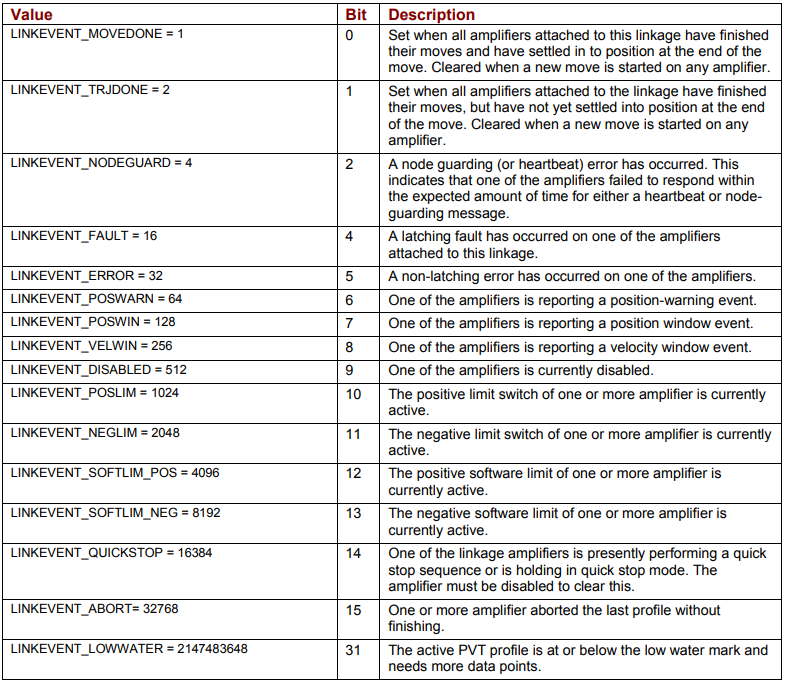
The CreateEvent method can monitor conditions chosen from the list below
CML_LINK_EVENT Values
| Value | Bit | Description |
|---|---|---|
| LINKEVENT_MOVEDONE = 1 | 0 | Set when all amplifiers attached to this linkage have finished their moves and have settled in to position at the end of the move. Cleared when a new move is started on any amplifier. |
| LINKEVENT_TRJDONE = 2 | 1 | Set when all amplifiers attached to the linkage have finished their moves, but have not yet settled into position at the end of the move. Cleared when a new move is started on any amplifier. |
| LINKEVENT_NODEGUARD = 4 | 2 | A node guarding (or heartbeat) error has occurred. This indicates that one of the amplifiers failed to respond within the expected amount of time for either a heartbeat or node-guarding message. |
| LINKEVENT_FAULT = 16 | 4 | A latching fault has occurred on one of the amplifiers attached to this linkage. |
| LINKEVENT_ERROR = 32 | 5 | A non-latching error has occurred on one of the amplifiers. |
| LINKEVENT_POSWARN = 64 | 6 | One of the amplifiers is reporting a position-warning event. |
| LINKEVENT_POSWIN = 128 | 7 | One of the amplifiers is reporting a position window event. |
| LINKEVENT_VELWIN = 256 | 8 | One of the amplifiers is reporting a velocity window event. |
| LINKEVENT_DISABLED = 512 | 9 | One of the amplifiers is currently disabled. |
| LINKEVENT_POSLIM = 1024 | 10 | The positive limit switch of one or more amplifier is currently active. |
| LINKEVENT_NEGLIM = 2048 | 11 | The negative limit switch of one or more amplifier is currently active. |
| LINKEVENT_SOFTLIM_POS = 4096 | 12 | The positive software limit of one or more amplifier is currently active. |
| LINKEVENT_SOFTLIM_NEG = 8192 | 13 | The negative software limit of one or more amplifier is currently active. |
| LINKEVENT_QUICKSTOP = 16384 | 14 | One of the linkage amplifiers is presently performing a quick stop sequence or is holding in quick stop mode. The amplifier must be disabled to clear this. |
| LINKEVENT_ABORT = 32768 | 15 | One or more amplifier aborted the last profile without finishing. |
| LINKEVENT_LOWWATER = 2147483648 | 31 | The active PVT profile is at or below the low water mark and needs more data points. |
Original image of the table (from the PDF manual)
Słowa kluczowe
LinkageObj, multi-axis, ruch wieloosiowy, MoveTo, SetMoveLimits, PVT, TrajectoryInitialize, TrajectoryAdd, lowWater, CML_LINK_EVENT, WaitMoveDone