
Tłumaczenie biblioteki etykiet przez plik Excel
Streszczenie: Tłumaczenie biblioteki etykiet (Label Library) EasyBuilder Pro na inne języki: eksport etykiet do pliku Excel, dodanie kolumn z tłumaczeniem (przykład: włoski, chiński uproszczony) i ponowny import.
EN: How to translate the EasyBuilder Pro Label Library via Excel export/import (Italian and Simplified Chinese example).
Dotyczy: EasyBuilder Pro
Źródło: Weintek FAQ (materiały producenta), oryginalny tytuł: „Label library Translation Manual”
EasyBuilder Pro Label Library Language Translation Manual (English to Italian and Simplified Chinese)
1. Export EXCEL File
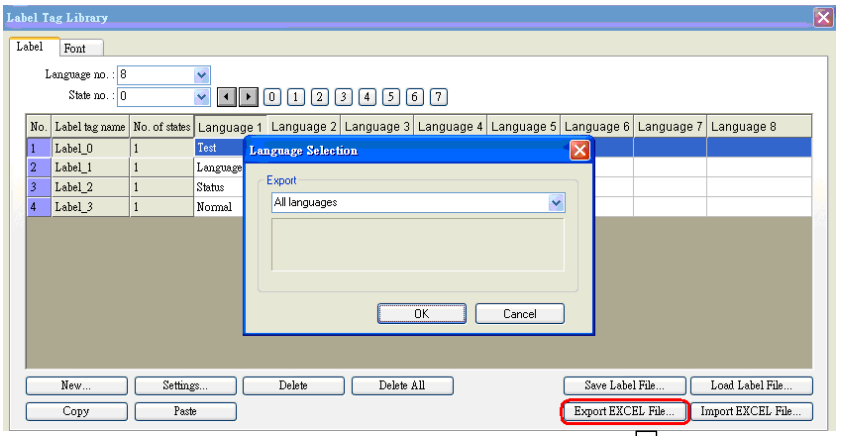
Click on [Export EXCEL File] then select the location and file name to save.

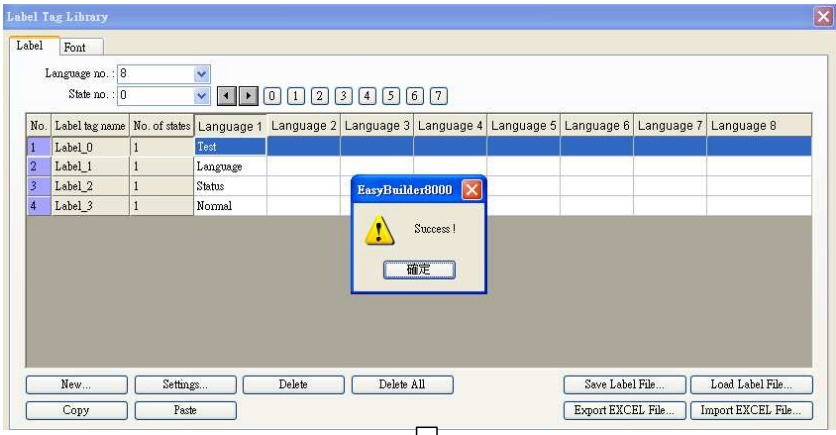
A [Success!] message is shown upon completion of the export.

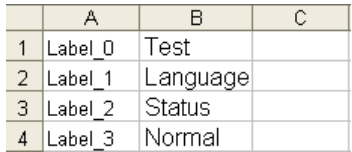
The selected labels are exported to EXCEL file.
2. Translate
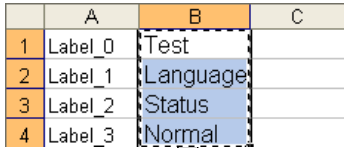
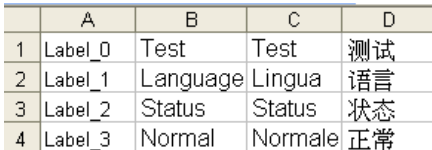
Open the EXCEL file to add the following items, and copy the items to translate to Italian or Simplified Chinese.
To translate using Google, link to Google homepage first: http://www.google.com/.
Click [more]/ [Translate].
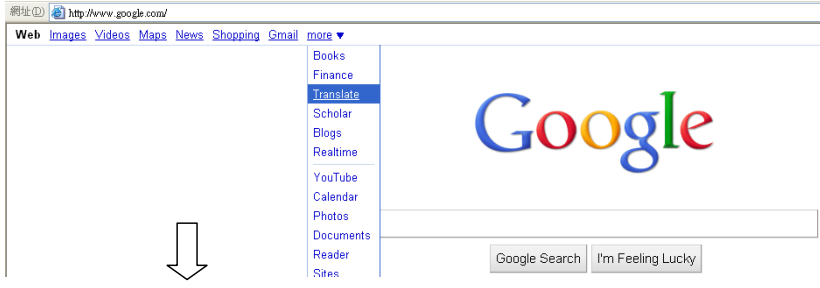
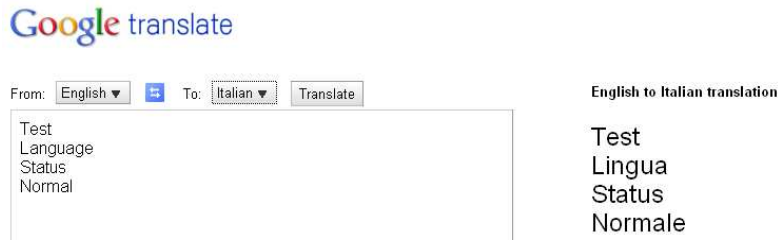
Paste the copied items to the translating field of Google, select from and to which language, click [Translate], and see the result on the right side. For Example:
a. English->Italian
b. English->Simplified Chinese
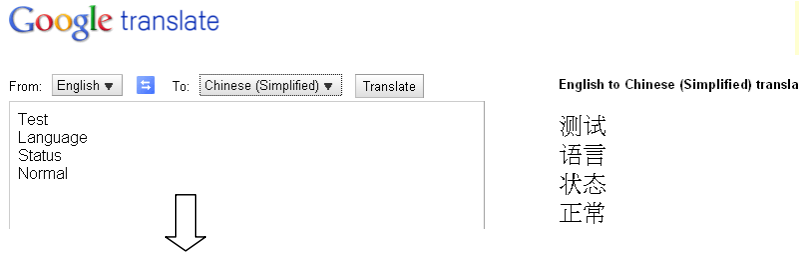 This demonstration shows how to translate English to Italian and Simplified Chinese. Copy the translated items and paste to the EXCEL file columns [Language 2] and [Language 3].
 3. Import EXCEL File
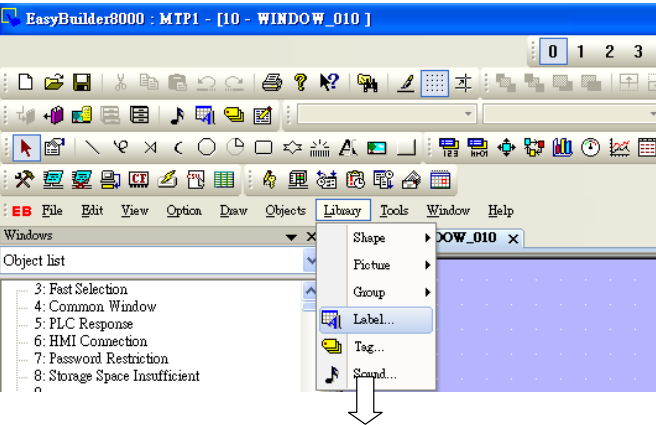
Open EB8000 [Library]/ [Label].
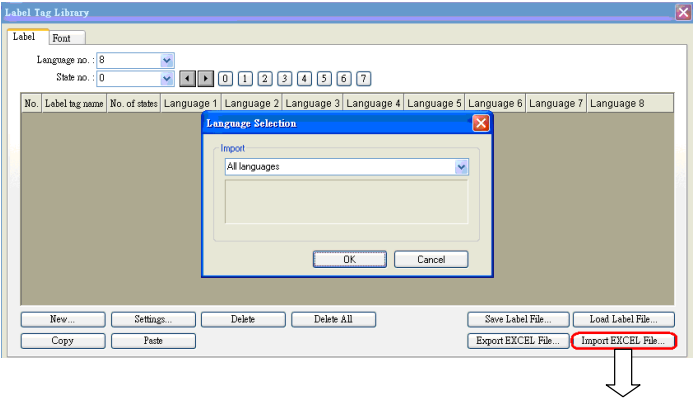
 Click [Import EXCEL File] and select the file to be imported
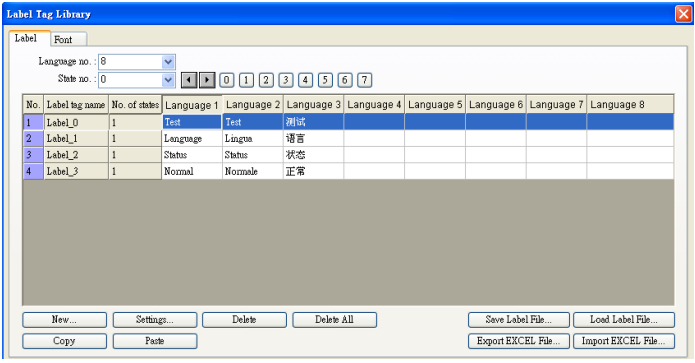
 The EXCEL file is then successfully imported.
Słowa kluczowe
biblioteka etykiet, Label Library, tłumaczenie, wielojęzyczność, multilanguage, Excel, Export EXCEL File, import, język włoski, chiński, Label library Translation Manual
No comments to display
No comments to display